
What plugins have you deployed and why? How have you deployed and configured them with discussed examples and screenshots?
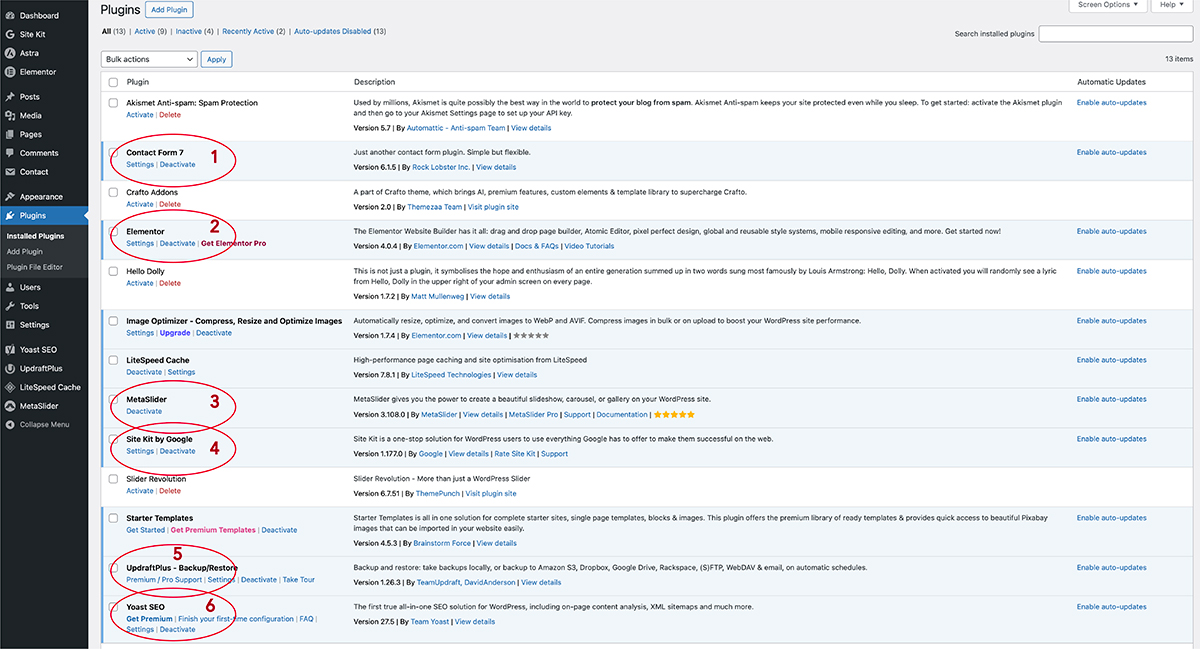
For my WordPress portfolio website, I selected and implemented the following six plugins to enhance functionality, design, and user experience:
1. MetaSlider: To display my work visually, I used MetaSlider to create responsive image carousels and sliders. This allowed me to showcase my graphic, web, and UX design projects in a dynamic and engaging way.
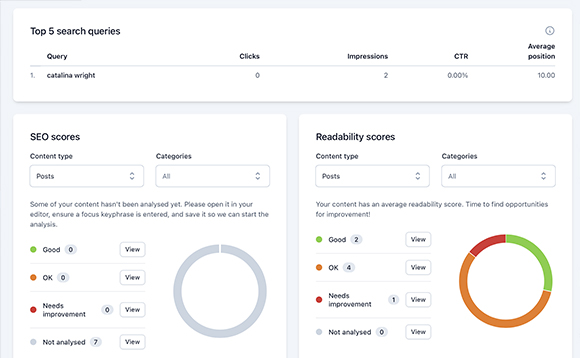
2. Yoast SEO: To improve search engine visibility, I used Yoast SEO to optimise keywords, meta descriptions, and content readability, helping my portfolio become more discoverable online.
3. Site Kit by Google: To track performance, I used Site Kit by Google to integrate Google Analytics. This enabled me to monitor user behaviour, traffic, and engagement directly from the dashboard.
4. Contact Form 7: To support client enquiries, I used Contact Form 7 to create a simple and effective contact form, making it easy for potential clients to get in touch.
5. Elementor: To design the website layout, I used Elementor as a visual page builder, allowing me to create custom, responsive pages without coding.
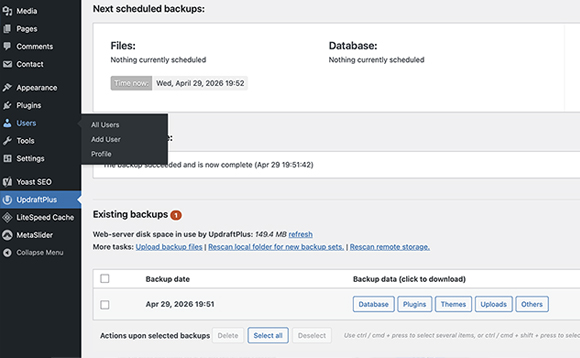
6. UpdraftPlus: To protect my website, I used UpdraftPlus to schedule automatic backups, ensuring my content and work could be restored if needed.